
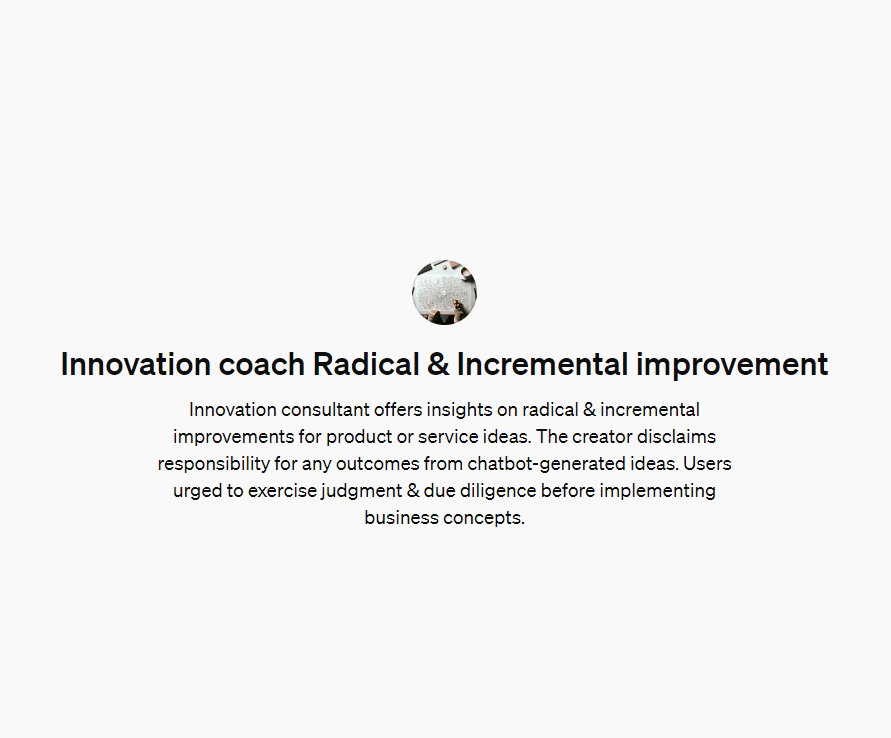
I have been experimenting with creating my own custom ChatGPT (these are called GPTs). This is a functionality that is only accessible to OpenAI’s ChatGPT plus users.
A GPT allows you to provide specific instructions on how you want ChatGPT to interact with a user. You can also provide ChatGPT with a body of knowledge that you could refer to. For example, you could give your GPT all the policies of your organisation and then you can just ask questions about these policies from your GPT. Or you might link the GPT to an opensource database and then interact with it to find deeper insights. It really is endless what you can do.
I created a GPT called “Innovation Coach Radical and Incremental improvement”. I wanted to create a GPT that could provide me with innovative ideas for services, products or systems. The GPT would refer to innovation theory (namely radical and incremental innovation) and interact in the style of a coach.
In this article I will share some of my learnings from making a GPT and some of my considerations when designing the GPT’s instructions (i.e. the backend prompt that informs the style and way of speaking for the GPT.) Throughout the rest of this blog post I’ll refer to my GPT as “Innovation Coach”.
If you want to interact with “Innovation Coach”, click here.
For a step-by-step guide on creating your own custom GPT, click here.
Instruct GPT to get context before answering
I quickly worked out that ChatGPT doesn’t speak like a coach, a designer or a good consultant. When you ask a question, it automatically replies with a large stream of text.
I made it a rule for my “Innovation Coach” to always ask for more context whenever a user asks it a question. In this way “Innovation Coach” can answer better by asking the user to provide a better prompt (with more context).

Check for understanding
A great coach should always clarify and paraphrase back to their client what they have understood about what their client has said. I made it a rule that “Innovation Coach” should always paraphrase (in different words) what the user has said to check for understanding.
Concise answers
There’s nothing worse than having to listen to someone talk for ages on something you don’t care about. I made it a rule that “Innovation Coach” must respond concisely and provide options for the user to go deeper only on topics that they are interested in.
Prompting the user
A good coach asks lots of questions. When I first created “Innovation Coach” it would give its advice and then just stop. I made it a rule that it should always ask a question such as “Is there anything else you’d like to explore?” This makes the interaction more conversational rather than transactional.
I also removed some of the friction for the user by getting “Innovation Coach” to provide the user with prompts that they could ask the “Innovation Coach”. This also helps the user go deeper without having to do all the heavy lifting.

Practice with the audio functionality
A few times when I’ve gone for a walk or a drive, I’ve used the microphone function with “Innovation Coach”. This is a functionality that OpenAI provides with the ChatGPT app. It has been particularly helpful when I’ve wanted to explore new innovative ideas for my business Yellow Arrow. Chatting verbally was helpful as it gave me more ideas of how to make interacting with “Innovation Coach” more like having a conversation. The succinct answers have proven to be great, as when you’re driving it is frustrating if the AI has answered incorrectly. By having succinct answers, it means you don’t have to wait as long.
After some of these “conversations” I’ve gone back to the configuration of my “Innovation Coach” and made changes based on what frustrated me about the way the conversation went. One change I made was to give “Innovation Coach” two different options of how to respond. If the user provided lots of detail in their initial prompt I instructed that “Innovation Coach” could answer straight away.
Iterate, iterate, iterate
There were a few hiccups along the way. For example, I was a little too direct and I told the “Innovation Coach” to only answer with single line dot points. I had wanted its first answer to just be a list so that the user could dive deeper into what they wanted to explore. However, it took the prompt very literally and only ever replied with headings! You can imagine how strange this experience was! I quickly rephrased my prompt to stay succinct.

I use the configure function when making changes
When I first created ‘Innovation Coach’ I was editing its instructions through the “create” function in the backend. This is a clever tool where you write what you want and ChatGPT creates the instructions to develop the GPT.
This is great for the initial design, however it is not great if you want to make changes to your GPT. After your initial iteration, it is best to use the “configure” function. Otherwise, you might create very specific instructions, yet ChatGPT will rephrase these when you use the “create” function.
Get feedback on your Custom GPT from ChatGPT
After several iterations, I copied the instructions of the “Innovation Coach” and asked “Innovation Coach” to critique my instructions text and provide feedback. To be honest it all felt a bit meta asking “Innovation Coach” to critique some of its own programming. I was hoping that I would not cause an existential crisis for poor little “Innovation Coach”! Luckily it came up with some useful ideas. Such as expanding on the innovation theories it draws on and providing functionality to create charts and flowcharts that are relevant to the conversation. I guess GPT are just like us, most of the best ideas for self-development come from itself!
Ask for feedback from the users
I created a very short feedback form and have prompted “Innovation Coach” to send this to the user at the end of their interaction. Hopefully when people have interactions with “Innovation Coach” they can share any feedback they have about how to make the experience better. It would be great if this was an ordinary feature of all GPT.

Treat the chatbot as an intelligent but naïve intern
When working with the instructions and making changes to the design, I like to imagine the GPT is a highly intelligent but naïve intern. This means that I approach developing and iterating the instructions with a patient and openminded approach. For example, I’m happy to explain the same thing multiple times so I can find the best way to get the right answer. Ethan Mollick speaks about this well on the Hello Monday podcast.
What I’ve learned and what I’ll do next
It’s an iterative process to design a GPT. It’s helpful to have requirements in your mind for ways you want the chatbot to interact with you and the user. Then it’s good to keep having interactions with it to test its capability and interpretation of your instructions.
Keep a working document that has each version of the instruction texts. This will give you an idea of how the instructions have evolved from your iterations. I wish I did this as some previous instructions were better than others.
I’m also thinking next time I create a GPT, I will develop a library of prompts that I can choose from to define the style of speaking and how the GPT will interact with the user. My prompting can also improve, currently my instructions are quite wordy and in a couple of big paragraphs. Next time I’ll put subheadings over different prompts. This will make it clear when I need to make edits to the instructions.
It’s an exciting space. I’d love to hear from you, what have you tried when creating a custom GPT?
I write about self development and innovation. Check out my article about strategies and resources to explore your career. Thanks for checking out my blog. Let me know in the comments what else you’d like to read about!